
Vectorworks® tools
SoftGoods 2
The cost of SoftGoods 2 is $50
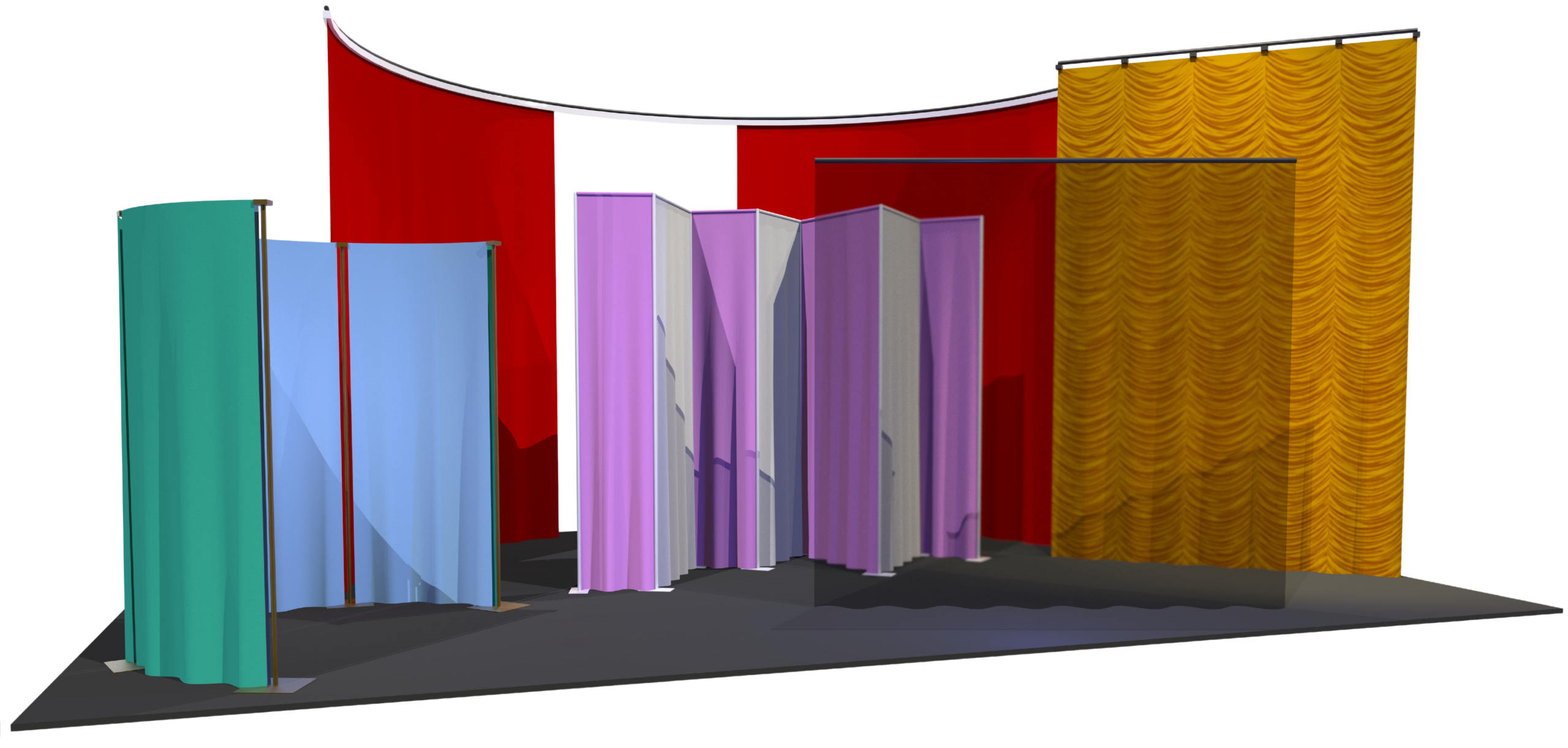
SoftGoods 2 is a Vectorworks® Plug-In Object that lets you insert models of straight and curved curtains, borders, and pipe-and-drape runs into your drawings, either from scratch or based on existing geometry.
What's Included:
Flexible Path-Based Modeling — As a Path Plug-In Object, SoftGoods 2 creates single and multi-segment objects, straight and curved, similar to Vectorworks'® Polylines. Resize models by dragging Control Points or adjusting values in the familiar Object Info Palette.
Pipe-and-Drape Runs — The tool automatically calculates spacing and tracks slider lengths, hardware, and drape counts. Version 2.55 adds a "Non-Sleeve" option for modeling systems similar to those offered by Wentex®, along with an easier way to create arched openings.
Automatic Textures — Textures are automatically created and applied across all SoftGoods 2 model parts, including opaque drapery and scrims. Custom images can also be applied, scaled, and positioned. The download package includes sample custom textures, plus a selection of popular Rose Brand® fabrics, optimized for Vectorworks 2016® and newer, the result of our ongoing partnership with Rose Brand®.
On-the-Fly Adjustments — Change curtain height, trim, curtain openings, panel overlap, track visibility, and pleat sizing anytime, with select text displayed directly on each instance.
Resources
Download the SoftGoods 2 Manual for more details and step-by-step instructions on using the tool.
System Requirements
SoftGoods 2 works with Windows and Mac Vectorworks 2024® or newer, including 2027®. Please confirm compatibility before purchasing, refunds are not issued for version incompatibility.
Upgrading from a Previous Version
SoftGoods 2 version 2.55 is available free of charge to users who purchased a previous-version license on or after September 16, 2025. If you qualify, contact us for download information, you'll need to provide the last six characters of your Vectorworks® serial number. All other users can find upgrade pricing below.
How to Purchase
- Choose your license.
- Enter the last six characters of your Vectorworks® serial number.
- Click the Add to Cart to complete your purchase.
What happens next: When you pay by credit card or direct deposit, you'll receive an email within one business day with a link to your download page, a password, and your license key.
Please note: eChecks take 3 to 4 business days to clear.